
How to use Ariavel Seal
Ariavel Seal is designed to confirm the exact state of important monday.com fields. In the validation prototype, if a protected value changes, it breaks its own seal and shows exactly what changed. This preview guide follows that local prototype with fictional data; these steps do not yet run in monday.com.
Coming soon · Early accessAriavel Seal is currently in product validation and is not yet available for public installation. There are no installation steps yet.
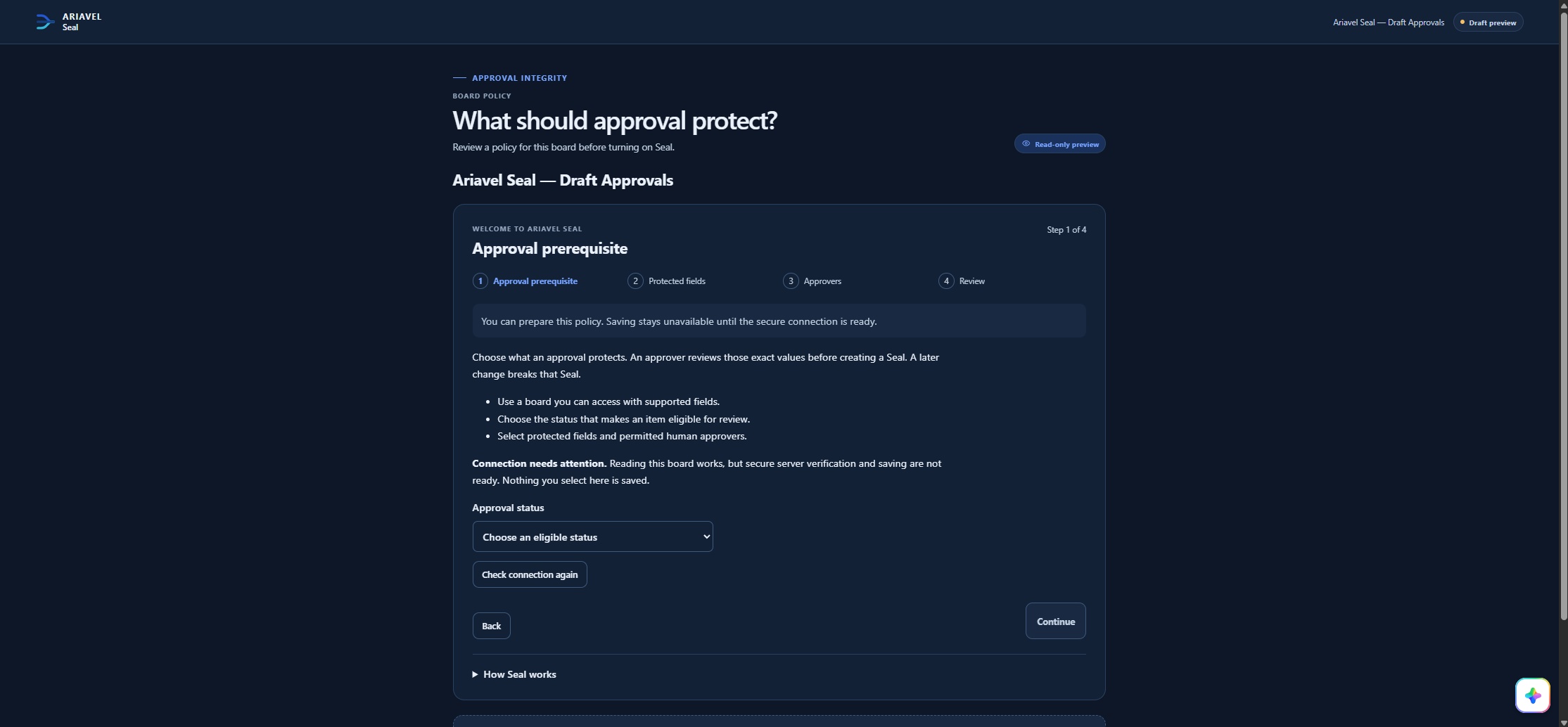
Choose protected fields
An admin creates a policy for a board: the approval prerequisite, such as the Approved status, and the fields whose approved values matter.
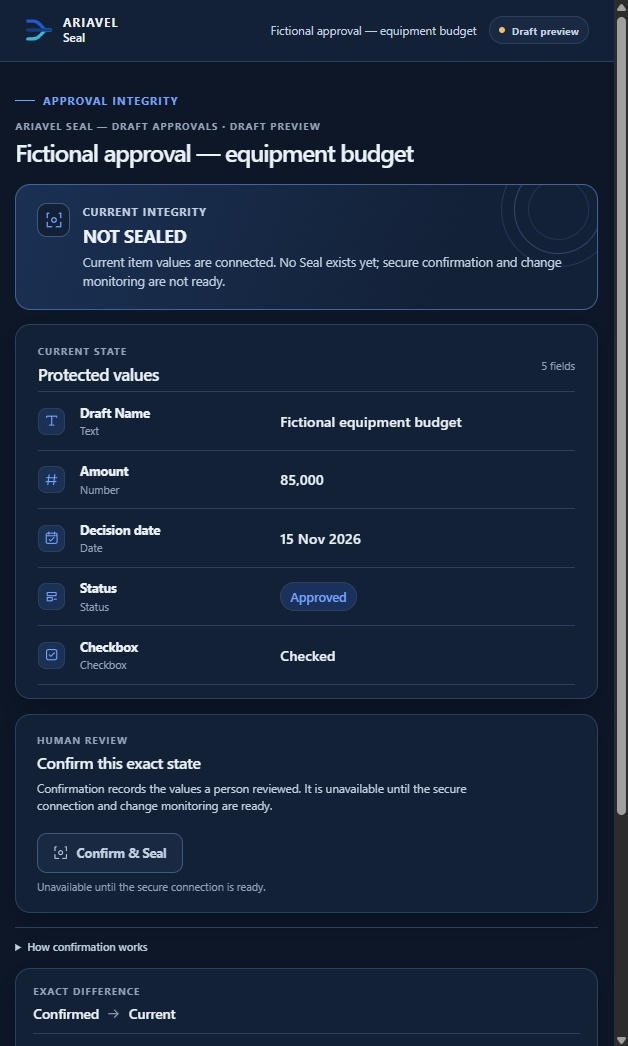
Review the exact values
When an item is Approved, it becomes eligible. The reviewer selects Review protected values and checks every protected value.
Confirm & Seal
Ariavel Seal reads the values again and records a seal only if they still match what was reviewed.
Check integrity
The item view compares the current protected values with the confirmed state and shows one integrity state.
Review exact changes
If a protected value changes, the seal breaks and the comparison lists each confirmed and current value. Changing a value back does not restore the seal.
Reapprove when appropriate
Select Review for reapproval, check the current values and confirm. The new seal replaces the broken one, which stays in history.
The three integrity states
- ✓SEALED
The protected values match the confirmed state, the latest check succeeded, coverage is verified, and no break has been established.
- !SEAL BROKEN
A protected value changed after confirmation. A new review is required.
- ?VERIFICATION REQUIRED
Positive integrity could not be established, so no green result is shown. Select Verify now to check again.
See it in the prototype
Ariavel Seal does not lock items, change the monday.com Approved status or act as a legal electronic signature. AI does not decide seal validity. Questions: Ariavel Seal Help Center or support@ariavel.eu.